No matter what I select in the main menu, it tries to connect.
“Connecting to Funcom Live Services fails”
results in
“You can still play offline, but to use online features a restart may be required.”
Settings, Singleplayer, Play Online - they all give the same issue and I get booted into the main menu.
EDIT: After renaming FuncomLiveServices.uplugin the game started and told me that it required FLS and whether I want to disable FLS. I said yes, but it still tries to connect.
I already checked the integrity via steam. Didn’t help.
Thea, please see the two posts above you for the answer. Since it’s the weekend in Norway, no quick fix is expected, but Firespark gives a good workaround.
I’m not sure I understood that, sorry for my lack of comprehension, but you may want to try this.
First, save two folders from your game and put them somewhere else.
\Steam\steamapps\common\Conan Exiles\ConanSandbox is the path to Saved and Config, the two folders you want to keep.
Next, go into Steam:Library and look for Conan Exiles - Testlive Client. Under the rightclick, Manage:Uninstall. Make sure Conan Exiles is still installed. If not, install it.
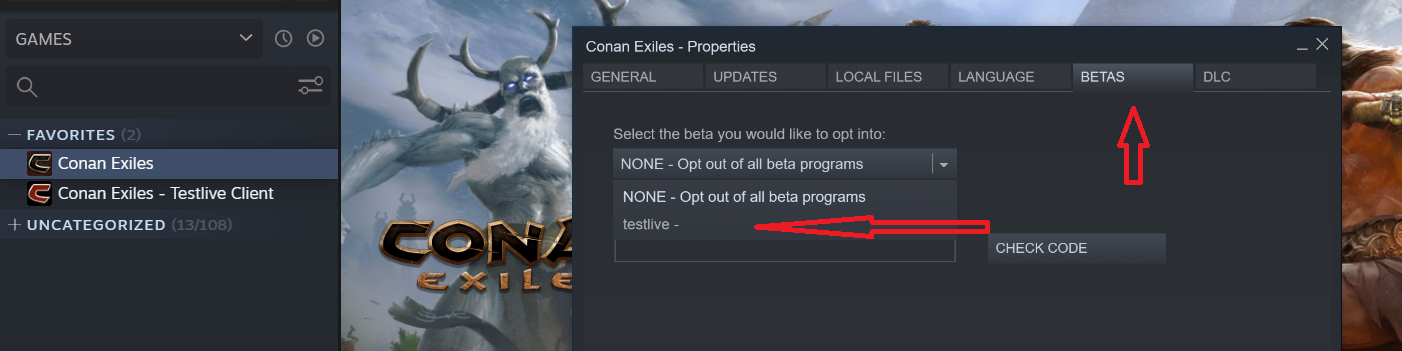
Rightclick the game and select Properties …
Select the Betas tab, then the dropdown as shown below, then Testlive. If there is now a CE download available, do it.
A different way to get there that takes a few minutes, but see if that solves your issue. Good luck !
Note that Live will not be available until you opt out of beta and reload those saved folders.
I chose not to do this since I have responsibilities to a dedicated live server that must be available. That’s why Testlive still shows in the picture, but gives the same results as you got.
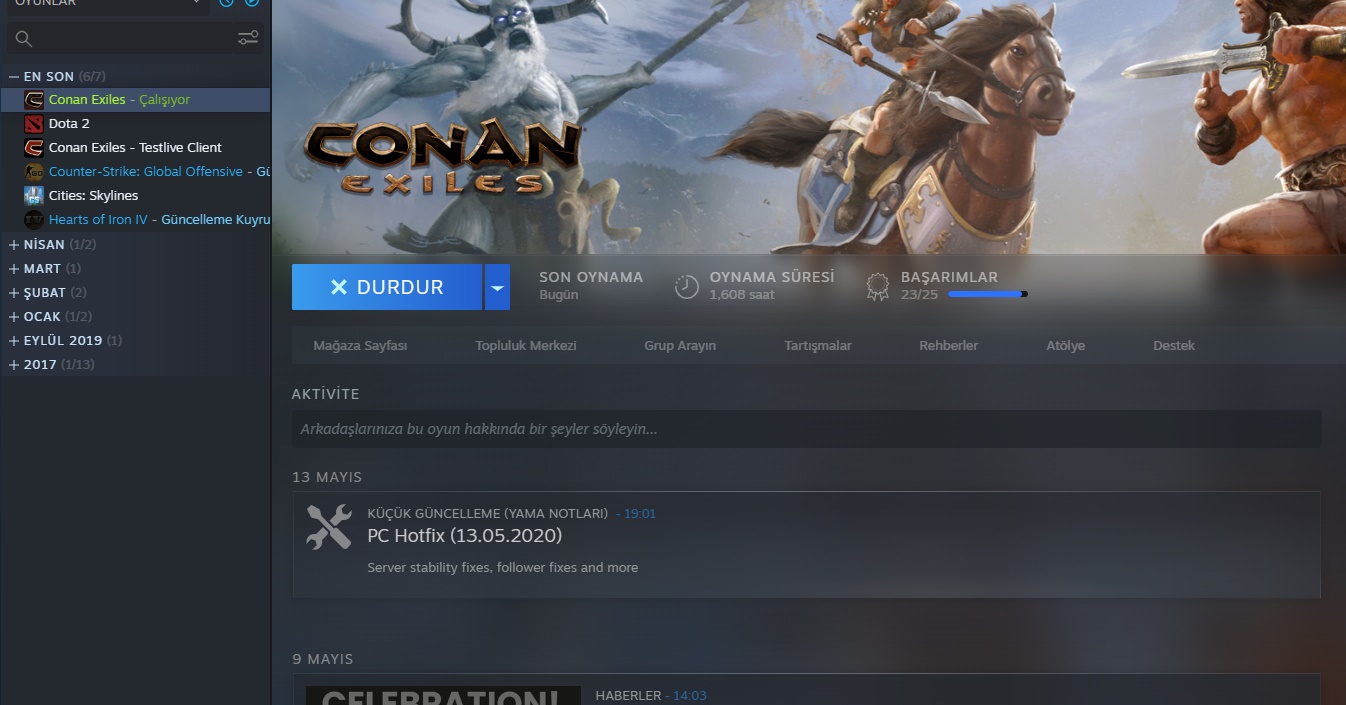
At the time of the screenshot, CE was active and testlive was not enabled per the instructions above. There were live responsibilities that caused me to revert from testlive to live. Tomorrow I will return to testlive and can get a similar screenshot showing the difference.
The language is different, but hopefully it is what you want.
I also noticed a new problem. When he entered the game in this way (singleplayer), the game was reset. that is, the previous game file has been deleted. I had to re-creating the character of keyboard settings have been reset, or even reset level even music.
Yes, that’s exactly what shows that the game, Conan Exiles has not been updated to testlive (assuming ‘Calisiyor’ means running). There is a process I follow to avoid destruction of my current game/configuration and, unfortunately, did not explain it fully so you could avoid that issue, apologies.
Give me a while to try to show what needs to be done to avoid problems and update fully, retaining the ability to revert to all saved states.
This is the first part of the process, getting there. What is not included is reverting to live and retaining your games. That is what I am working on.